
Wrike has the highest score (8.7/10), but ClickUp (8.6) is our top pick for most teams.You get the best run for your money here. If you want a simpler project management software tool that is easy to learn, pick Asana (8.3). Trello is ideal if you need a lightweight program to manage projects on simple boards, while Jira serves as dedicated software project management software for developers. Wrike fits large teams needing formal approvals, and Zoho Projects helps if money is tight. Every option below offers free project management tiers except Smartsheet, which runs on a 30-day trial.
Quick picks
| If you are… | Top pick | Backup |
| Looking for the best overall | ClickUp | Asana |
| A freelancer or solo worker | Trello | Asana |
| A small team (2 to 10 people) | Asana | Basecamp |
| A software team | Jira | ClickUp |
| An agency with client work | Wrike | Basecamp |
| A large or regulated company | Wrike | Smartsheet |
| On a tight budget | Zoho Projects | ClickUp |
| A remote team | Basecamp | Asana |
| A non-technical team | Asana | monday.com |
What Is Project Management Software?
At their core, these are digital computer programs for project management designed to help teams plan work, hand it out, track progress, and get things done. Whether you call it a modern work management platform, project managing software, or a full project tracking system, the goal remains identical: giving every task an owner, a clear due date, and an active status so anyone can see what is running late.
Most modern online project management tools cover basic needs like task lists, calendars, and shared files. Other productivity tools can help individuals and teams organize daily tasks, manage time, and stay focused.More advanced project management platforms build on this with automated rules, live dashboards, and deep cross-team reporting
People shop for these tools because work ends up scattered. In Teamwork’s 2026 research, 58% of business leaders said they use three to five separate tools just to manage work. A Zapier survey of about 800 project managers found that half of them handle 26 or more requests on an average day.
How we compared these tools
To find the most reliable software for project management, we evaluated each platform across nine operational pillars. From core task tracking to long-term capacity planning, a solid project planning software must balance flexible boards with predictable security standards.
Whether you need a simple project management app on your phone or a complete enterprise program management software suite, these scores reflect real-world team demands.
| # | What we checked | What we looked for |
| 1 | Task management | Owners, due dates, subtasks, dependencies |
| 2 | Views | Board, list, calendar, timeline |
| 3 | Teamwork | Comments, file sharing, approvals |
| 4 | Resource planning | Workload, capacity, time tracking |
| 5 | Reports | Dashboards and project health |
| 6 | Automation | Rules that remove repeat work |
| 7 | Integrations | Email, calendar, storage, chat |
| 8 | Free plan and price | Real limits, hidden costs |
| 9 | Security | SOC 2, ISO 27001, SSO, MFA |
Over three months, we tested four tools hands-on: Asana, Trello, ClickUp, and monday.com. We ran them on live internal projects, tracked real deliverables, built automations, and invited collaborators to see how quickly people could get started.
We didn’t test the other five hands-on. Those reviews come from vendor documentation, public pricing pages, and user reviews on Capterra.
| Tool we tested | Time to a working first project | What annoyed us most |
| Trello | Under 10 minutes | Long boards get cluttered |
| Asana | Under 15 minutes | One assignee per task |
| monday.com | Under 20 minutes | 3-seat minimum on paid plans |
| ClickUp | About 30 minutes | Lag on large task lists |
The 9 tools side by side
Ranked by our score. Prices are per user per month, billed yearly, and they change often, so confirm on the vendor’s pricing page before you buy. Ratings are from Capterra (out of 5, October 2026).
| Rank | Tool | Best for | Free plan | Paid from | Capterra | Our score |
| 1 | Wrike | Cross-team work, regulated industries | Yes (200 active tasks) | $10 | 4.4 | 8.7 |
| 2 | ClickUp | Customizing everything | Yes (unlimited users) | $7 | 4.6 | 8.6 |
| 2 | Jira | Software teams | Yes (10 users) | About $7.91 | 4.4 | 8.6 |
| 4 | Smartsheet | Spreadsheet-style planning | No (30-day trial) | $9 | 4.5 | 8.4 |
| 4 | monday.com | Visual planning | Yes (2 seats) | $9 | 4.6 | 8.4 |
| 6 | Asana | Marketing and operations | Yes (up to 2 users) | $10.99 | 4.5 | 8.3 |
| 7 | Zoho Projects | Low-cost teams | Yes (5 users) | $4 | 4.5 | 7.9 |
| 8 | Trello | Simple Kanban projects | Yes (10 boards) | $5 | 4.5 | 7.4 |
| 9 | Basecamp | Small teams, agencies | Limited | $15 or $299 flat | 4.3 | 6.7 |
Score and pick are not the same thing. Wrike scores highest on features, but it needs 2 to 5 seats at minimum, sells seats in blocks and takes longer to learn, so ClickUp is the better first choice for most teams.
The 9 best project management tools
1. ClickUp
Score: 8.6/10. Ideal for teams that want complete freedom to shape their own setup.
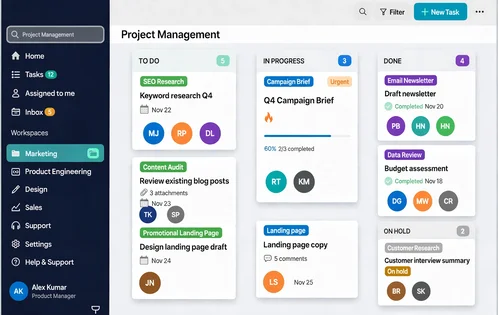
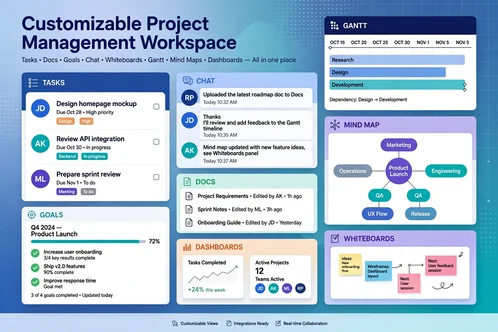
ClickUp tries to be everything at once: tasks, docs, goals, chat, whiteboards. A small marketing studio could run client work, an internal wiki and billing notes out of one account. You’ll spend time setting it up, but you end up with something that matches how your team actually works.
| Free plan | Unlimited users and tasks, but storage is tiny (sources say 60 to 100 MB) and some views are capped. Pricing page |
| Paid plans | Unlimited $7, Business $12 (billed yearly) |
| Integrations | Fewer native ones than rivals, though the popular apps are covered |
| Support | No phone. Email and video lessons |
| Security | SOC 2 Type II, ISO 27001, HIPAA, GDPR |
| Capterra | 4.6 out of 5, about 4,600 reviews |
You get 13+ views, including Gantt and mind maps, with docs and wikis sitting right beside your tasks. Time tracking is built in, and so is AI writing help. Reviewers like the flexibility, the value for the price and the dashboards.
The catch is patience. Screens get busy, newcomers feel lost, and big projects can lag. The free plan has also shrunk over the years, so read today’s limits before you commit.
On the paid side, Unlimited adds unlimited spaces, folders and forms, plus resource management and time tracking. Business adds mind maps, Google SSO and SMS two-factor login.
What we saw in testing. We used ClickUp to run an editorial sprint with subtasks, due dates and custom status tags. Our first space took about 30 minutes to set up because there are so many toggles and ClickApps to sort through. The worst part was the lag when loading large task lists.
2. Asana
Score: 8.3/10. Perfect for growing teams looking for a straightforward, distraction-free tool.
Asana is the one most people try first. It looks clean, and most people pick it up before their first day is out. A school admissions office is a good fit: each application moves across a board, and a few simple rules pass it to the next person.
| Free plan | Create as many tasks and projects as you want, and switch between list, board, or calendar views whenever you like. Up to 2 users.Older reviews say 10, so check the pricing page |
| Paid plans | Starter $10.99, Advanced $24.99 (billed yearly) |
| Integrations | More than 200 |
| Support | No phone or live chat |
| Security | Key certifications such as SOC 2 Type II, ISO 27701, and HIPAA are reserved for premium tiers. |
| Capterra | 4.5 out of 5, about 13,500 reviews |
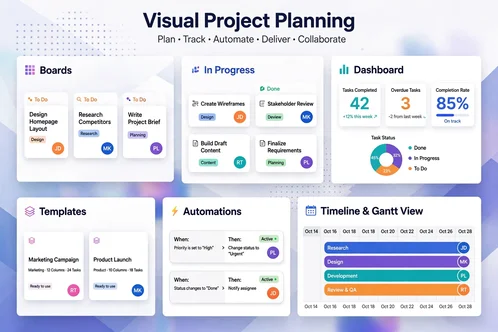
It shows work as a list, board, calendar or timeline, and Workflow Builder handles simple no-code rules. Goals and portfolios are there too. Reviewers keep praising how easy it is to switch between a board and a list.
Asana only allows one assignee per task. That’s on purpose, to keep things simple, but plenty of people hate it. Workload planning is stuck on the upper plans, and there’s no time billing or invoicing.
Moving to the Starter plan brings in unlimited automated rules, timeline layouts, custom data fields, and task dependencies. Advanced adds approvals, goal tracking and workload management.
What we saw in testing. We ran a two-week content launch sprint in Asana to try board views, task handoffs and basic automations. The clean templates cut setup time down to under 15 minutes for our very first project. The one-assignee rule was the biggest annoyance, because we had to create repeat subtasks whenever two people shared a job.
3. Wrike
Score: 8.7/10.A great fit for cross-department work that relies on strict review and approval stages.
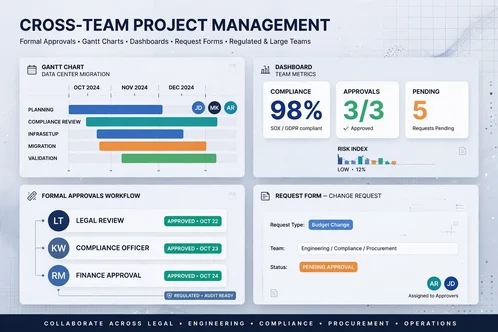
Wrike shines brightest in medium to large setups that depend on cross-functional teamwork to get projects over the line. Picture a hospital group launching a patient portal. IT, legal, marketing, and support each have their own steps, and every step needs approval. That’s where Wrike earns its price.
| Free plan | You can invite your entire team and run endless projects, provided you stay under the 200 active task limit. No Gantt charts or time tracking. Pricing page |
| Paid plans | Team $10 (for 2 to 15 users), Business $25 (for 5 to 200 users), billed yearly |
| Integrations | Over 400 |
| Support | 24/7 help, with paid support packages for bigger needs |
| Security | SOC 2 Type II, ISO 27001, HIPAA, GDPR |
| Capterra | 4.4 out of 5, about 2,900 reviews |
Wrike’s strengths are custom request forms that bring all work into one place, Gantt charts, dashboards, and proofing and approvals for design files. Workload planning and time tracking come with paid plans.
It isn’t easy to learn. Seat minimums matter too: Team needs at least 2 users and Business at least 5, so a small team pays more per head than the list price suggests. Email alerts also pile up until you change your notification settings.
Team adds custom fields, custom workflows, and portfolio management. Business adds real-time reports, dynamic request forms, workload charts, and custom approval flows.
We didn’t test Wrike hands-on. This review draws on Wrike’s own documentation, Capterra reviews and third-party tests.
4. monday.com
Score: 8.4/10. Best for visual planners who like color and templates.
If gray task lists bore your team, monday.com is the friendlier option. A wedding planner juggling twelve vendors can grab a template and have a working board within an hour.
| Free plan | Up to 2 seats and 3 boards. No automations or timeline view. Pricing page |
| Paid plans | You are looking at $9 for Basic, $12 for Standard, and $19 for Pro per user, provided you pay annually. |
| Integrations | 200+ |
| Support | No inbound phone line |
| Security | SOC 2 Type II, ISO 27001, HIPAA |
| Capterra | 4.6 out of 5, about 6,000 reviews |
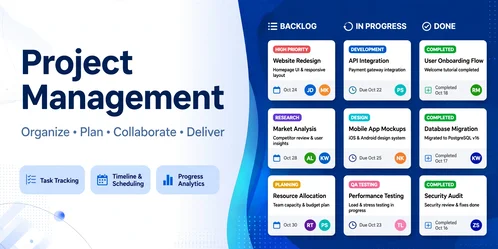
You get 100+ templates, dashboards, automations, and board, Gantt, timeline and calendar views. Paid plans include AI agent tasks. Users love how it looks and say it keeps daily, weekly and monthly work in one place.
Big boards get cluttered, though, and key details can get buried. Seats come in blocks, so adding one person can raise your bill more than you’d expect. Time tracking is basic, and some users report glitches.
Basic covers the essentials nicely, giving your team 5 GB of storage alongside unlimited items and boards. Standard adds timeline, Gantt, and calendar views and guest access. Pro adds chart views and more AI features.
What we saw in testing. We ran a two-week sprint to track a cross-functional marketing launch, with custom status columns and automated due-date alerts. The main board took under 20 minutes to set up because the color-coding is easy to follow. What frustrated us most was the 3-seat minimum on paid plans, which means solo operators and pairs pay for empty licenses.
5. Jira
Score: 8.6/10. Best for software and IT teams.
Jira remains the benchmark software project management software for technical squads. From backlog grooming to sprint burndowns, this project tracking software keeps technical roadmaps on schedule.
| Free plan | Up to 10 users and unlimited projects. No user roles or outside collaborators. Pricing page |
| Paid plans | Standard about $7.58, Premium about $15.25 (priced for a team of 50, billed yearly). Other guides list slightly different figures, so check your own team size |
| Integrations | Confluence, Bitbucket, GitHub, Slack and many more |
| Support | Strong help library, ticket-based support |
| Security | SOC 2 Type II, ISO 27001, SSO and MFA through Atlassian Guard |
| Capterra | 4.4 out of 5, about 15,000 reviews |
Scrum and Kanban boards, backlog and sprint planning, bug tracking and JQL search filters are the core. Reviewers say it keeps work organized and makes clear who owns what.
Beginners struggle with it, especially outside engineering. There’s no built-in workload planning, add-ons cost extra and the bill can grow fast. Total costs fluctuate based on how big your crew is, so treat the figure above as specific to a team of 50.
Standard adds user roles, permissions, AI work features and data residency. Premium adds cross-team planning and dependency management.
We didn’t test Jira hands-on. This assessment combines hands-on outside testing, user insights from Capterra, and details straight from Atlassian’s documentation.
6. Trello
Score: 7.4/10. Best for simple Kanban boards.
If you only need a mobile and desktop project management app that works out of the box, Trello keeps things lightweight. It works well as an uncluttered personal project tracking management software option for solo operators.
| Free plan | Unlimited cards and users, 10 boards per workspace. Board view only. Pricing page |
| Paid plans | Standard $5, Premium $10 (billed yearly) |
| Integrations | 200+ through Power-Ups |
| Support | Help center and community. Faster support on higher plans |
| Security | SOC 2, ISO 27001, GDPR |
| Capterra | 4.5 out of 5, about 23,500 reviews |
Drag-and-drop boards, Butler automation, board templates and Power-Ups for calendars and Gantt are the main draws. Reviewers like how easy it is to move cards and watch updates arrive in real time.
The free version locks you into the board layout, making it easy to outgrow the tool once projects get bigger. Power-Ups fix that, but they add cost and complexity.
The Standard plan does away with board limits and brings in custom fields alongside advanced checklists. For richer visualization like timeline, table, map, dashboard, and calendar formats, you will need the Premium tier.
What we saw in testing. We ran a two-week sprint in Trello to manage daily blog publishing and social media assets. The board was up in under ten minutes because drag-and-drop cards need no training. What bugged us most was how fast long boards get cluttered, and how things like advanced reporting need Power-Ups.
7. Smartsheet
Score: 8.4/10. Best for teams that already live in spreadsheets.
Smartsheet acts as a hybrid cloud project management software built for teams that prefer rows, columns, and formulas over standard card columns.
| Free plan | None, only a 30-day trial. Smartsheet |
| Paid plans | Pro around $9, Business $12 (billed yearly), more on higher plans |
| Integrations | 100+ |
| Support | Email, in-app chat and a community. Phone support on Enterprise |
| Security | SOC 2 Type II, ISO 27001, SSO, MFA |
| Capterra | 4.5 out of 5, about 3,500 reviews |
The grid view comes with Gantt, board and calendar views, automated alerts, dashboards and forms. Reviewers say it cuts down on scattered messages and gives a clear view of deadlines and owners.
If you don’t like spreadsheets, you won’t like Smartsheet. Add-ons push the bill up, and the look feels dated next to newer tools.
Pro gives you Gantt, table, board and calendar views for 1 to 10 members. Business adds timeline views, workload tracking and unlimited automations.
We didn’t test Smartsheet hands-on. This review draws on Smartsheet’s documentation, Capterra reviews and third-party tests.
8. Zoho Projects
Score: 7.9/10. Best low-cost pick for teams already using Zoho.
Zoho Projects makes sense if you already use Zoho CRM or Books, because data moves between them with no fuss. A team on Zoho CRM can turn a closed deal into a project without retyping a thing.
| Free plan | Up to 5 users, 3 projects, 5 GB. No automation or custom fields. Zoho Projects |
| Paid plans | Premium $4, Enterprise $9, Ultimate $14 (billed yearly) |
| Integrations | Strong inside Zoho, fewer outside it |
| Support | Email only, plus a help center |
| Security | ISO 27001, HIPAA, GDPR, SSO, 2FA |
| Capterra | 4.5 out of 5, about 860 reviews |
You get Gantt charts, issue tracking, timesheets, and blueprints for repeat processes. Reviewers call it simple to learn and praise how easy it is to create and track tasks.
Outside the Zoho family, integrations are thinner, and the interface feels a bit dated. Extra Zoho products can also add cost: bundled add-ons can push the real price well past the headline $4. With only about 860 reviews, the rating is less certain than the others.
Premium expands capacity with 100 GB of storage and endless projects, while adding handy tools like time tracking and automated workflows. Enterprise adds custom roles and portfolio dashboards. Ultimate raises limits and adds the Zia AI assistant.
We didn’t test Zoho Projects hands-on. This review draws on Zoho’s documentation, Capterra reviews and third-party tests.
9. Basecamp
Score: 6.7/10. Best for teams that want simple chat, to-dos and flat pricing.
Basecamp is the minimalist of the group. It has to-do lists, message boards, schedules and check-ins, and not much else. That’s the point. A small design agency with remote clients can keep every message, file and deadline inside one project.
| Free plan | Limited: 1 project, up to 20 users, 1 GB. Basecamp |
| Paid plans | Pro $15 per user/month (billed monthly), or Pro Unlimited at a flat $299/month (billed yearly) for any number of users |
| Integrations | Fewer than most rivals |
| Support | Ticket-based. No phone or live chat |
| Security | Encryption and 2FA, but no SOC 2 or ISO 27001 certificate listed |
| Capterra | 4.3 out of 5, about 14,000 reviews |
Along with to-dos and schedules you get message boards, Campfire chat, automatic check-ins, and docs and file sharing. People like how little there is to learn, and clients or teammates can join in without training.
The tradeoff is thin reporting, little customization, no built-in time tracking and no native task dependencies. The missing security certificates could block it in strict industries, and some users feel the design and features have been slow to change.
So why is it our remote-team pick when it ranks last? Remote teams often need fewer features and better communication, and Basecamp’s check-ins and message boards do that well.
We didn’t test Basecamp hands-on. This review draws on Basecamp’s documentation, Capterra reviews and third-party tests.
More tools worth a look
Modern work management platforms like Notion and Airtable blend databases with task boards, while dedicated online project management software options like Teamwork focus heavily on client billing.
Today, finding the right project management softwares is less about finding the longest feature list and more about picking the system your team will update every day without friction.
• Teamwork. Built for agencies and client work, with time tracking, budgets and profit reports in one place. Free for up to 5 users. Paid plans start near $9.99 per user a month.
• Paymo. Suits freelancers and small teams that want time tracking and invoices together. There’s a free plan, and paid plans start at $5.90 per user a month.
• Notion. Mixes docs, wikis and project databases. Free for individuals. It has no resource scheduling or financial reports.
• Airtable. Database-style planning. Free accounts support 5 editors alongside a 1,000-record limit per base, after which paid subscriptions begin at $20 per user each month.
• Microsoft Planner. The natural pick if your company lives in Microsoft 365, from $10 per user a month. Microsoft Project Online retired on September 30, 2026, and Microsoft is steering people toward Planner, as Wrike’s guide notes.
• Adobe Workfront. Built for large enterprises that already use Adobe tools. No free plan, and pricing is custom.
• ProjectManager. Monitor your work using Kanban boards, standard lists, or Gantt charts, complete with integrated dashboards and built-in hour tracking. Reviewers say the interface can feel dated.
Connecting your tool to other apps
Most platforms here connect smoothly with Zapier, making it easy to route action items from third-party software straight into your workspace. Zapier’s own examples include creating a Trello card or Asana task from a new Google Calendar event, or creating ClickUp tasks from new Typeform entries. It’s a cheap way to try automation before you pay for a higher plan.
Free project management tools: what you really get
Most free project management tools give small teams just enough room to manage daily tasks. However, many free project management plans cap active members, file storage, or custom automations. As teams scale, transitioning from free tiers to a unified cloud based project management platform becomes necessary to unlock Gantt charts and workload reporting.
| Tool | What the free plan includes | Main limit |
| Trello | Unlimited cards and users, 10 boards per workspace | Board view only |
| ClickUp | Unlimited users and tasks | Small storage cap and capped views |
| Jira | Up to 10 users, unlimited projects | No user roles or outside collaborators |
| Wrike | Unlimited users and projects, up to 200 active tasks | No Gantt charts or time tracking |
| Zoho Projects | Up to 5 users, 3 projects, 5 GB | No automation or custom fields |
| monday.com | Up to 2 seats, 3 boards | No automations or timeline view |
| Asana | Unlimited tasks and projects; list, board and calendar views; up to 2 users (check, older sources say 10) | No timeline view or reports |
| Basecamp | 1 project, up to 20 users, 1 GB | Not meant for long-term use |
| Airtable | Up to 5 editors, 1,000 records per base | Record cap |
Limits are taken from the vendors’ pricing pages linked above.
A team of three to five can coast on the free version without trouble, provided the workload remains light. Once advanced visuals like Gantt timelines, dashboards, or resource planning become essential, a paid plan is unavoidable.
What 10 users really cost per year
List prices can mislead you, so here’s the yearly cost for a 10-person team on each tool’s entry paid plan. It leaves out add-ons and taxes.
| Tool and plan | Price per user/month | Yearly cost for 10 users |
| Zoho Projects Premium | $4 | $480 |
| Trello Standard | $5 | $600 |
| ClickUp Unlimited | $7 | $840 |
| Smartsheet Pro (about) | $9 | $1,080 |
| monday.com Basic* | $9 | $1,080 |
| Wrike Team | $10 | $1,200 |
| Asana Starter | $10.99 | $1,319 |
| Basecamp Pro (billed monthly) | $15 | $1,800 |
| Basecamp Pro Unlimited (flat) | $299 per month, any number of users | $3,588 |
*monday.com sells seats in blocks, so your real number may be higher. Jira is left out because its price changes with team size.
Basecamp’s flat plan only beats the per-user plan at about 20 users ($299 divided by $15).
Pricing traps to avoid
The price on the pricing page often isn’t the price you pay. Watch for these.
• Seat minimums. Some plans need at least two or five users, so a small team pays more per person than advertised.
• Seat blocks. Some vendors sell seats in blocks, so one new hire can cost you several seats.
• Hidden features. Timelines, workload views and reports often sit on the next plan up.
• Add-ons. Resource tools, time tracking and extra storage are sometimes sold separately.
• Billing term. Many prices assume yearly billing. Pay monthly and you’ll spend more.
A simple fix: start on a short plan, test it with real work, and only then commit for a year. And ask the sales rep, in writing, how seats get added.
How AI is changing these tools
Most tools now ship with built-in Artificial Intelligence. These features can draft tasks, summarize long comment threads, and flag work that’s likely to slip. Explore different AI tools and software to understand how artificial intelligence can support everyday business tasks.
It saves time, but it makes mistakes, so treat what it writes as a first draft.
| Tool | Example AI features |
| Wrike | Risk prediction, brief drafting, Copilot for questions |
| Asana | AI help on paid plans |
| monday.com | AI agent tasks included in paid plans |
| ClickUp | AI writing help and task summaries |
| Jira | AI work features on Standard and up |
| Teamwork | AI Project Wizard, profit forecasts, comment summaries |
| Airtable | Omni chat assistant, 500 free AI credits per editor each month |
| Zoho Projects | Zia assistant on the Ultimate plan |
To test AI during a trial, do three things. Paste in a real project brief and ask for a task list. Ask it to summarize a long comment thread, then check that nothing important got dropped. And ask it to flag risks, to see whether they’re real or just generic. Before anything an AI wrote goes to a client, check the dates, owners, and numbers.
Time tracking, budgets and invoicing
If you bill clients, pick a tool with time tracking and budgets built in. Asana and Wrike don’t track billable time or profit in much depth, while Paymo and Teamwork do. ClickUp and Zoho Projects cover the basics. With Asana, Trello or Basecamp you’ll need an add-on or a second app. If you don’t bill by the hour, you can skip all this.
How to choose the right tool
Start with your problems, not with features. Write down what’s broken today. Maybe approvals take too long, or nobody knows who’s overloaded. Then work through these steps:
1. Ask the people who’ll use the tool what annoys them most.
2. Set your budget and your must-have features.
3. Pick a small group to own the decision.
4. Shortlist two or three tools, not ten.
5. Run a real trial with a real project, not a demo board.
6. Get leadership on board before you buy.
7. Check in again after 30, 60 and 90 days.
During the trial, watch for small signs. Do people update tasks without being nagged? Can a manager find the status alone? Do reports save time, or just create more work?
You won’t need every feature. A three-person team can skip budget tracking, but a consulting firm can’t. Check task owners, due dates and subtasks; board, Gantt, calendar and list views; comments and approvals; workload planning; time tracking; budgets; dashboards; automation; integrations with email, calendar and storage; and a decent mobile app for people in the field.
Tools don’t run projects, methods do, so match the software to how your team works.
| Method | What it is | Good tool fit |
| Scrum | Short sprints with planning, daily check-ins and reviews | Jira, ClickUp |
| Kanban | Visual columns with limits on work in progress | Trello, Asana, Jira |
| Waterfall | Fixed steps in order, with Gantt charts | Wrike, Smartsheet, Zoho Projects |
| Mixed | A blend of the above | ClickUp, Wrike |
Security basics
Project data can include contracts and client files. At a minimum, look for SOC 2, ISO 27001, single sign-on (SSO) and multi-factor login (MFA). If you handle data of people in the EU, GDPR applies as well.
Ask each vendor for its current security documents instead of trusting a logo on a web page. Basecamp, for example, doesn’t list SOC 2 or ISO 27001, which could matter in strict industries.
Four habits that make any tool work better
• One owner and one date per task. Tasks with no owner don’t get done.
• A short weekly update. Five lines every Friday is enough.
• Track new requests. After launch, write down each tiny request and decide on purpose. That’s how you stop scope creep.
• Clean up. Remove old boards and copied templates twice a year.
Conclusion
Even the best project management tool won’t fix a broken process on its own. Pair your pick with clear owners, steady habits, and a method your team believes in.Start with your biggest pain point, shortlist two or three tools, and test them on real work. The best tool is the one your team opens every day.
Prices and limits come from public pages and vendor reviews and can change. Confirm on each vendor’s pricing page.
Frequently asked questions
What is the best project management software for small teams?
Asana, Trello and Basecamp. All three are easy to learn. ClickUp also works if someone on the team enjoys setting things up.
What is the best free project management tool?
ClickUp and Trello have the most useful free plans for general work. For software teams of up to 10 people, Jira is the better free pick.
Are free project management tools good enough?
Yes, for small teams with simple work. Caps on users, storage and reports usually push growing teams to pay.
What is the easiest project management tool to learn?
Trello. A board of cards and columns takes minutes to understand. Asana comes a close second.
What is the best tool for agencies?
Wrike and Teamwork. Both handle approvals and client work, and Teamwork adds budgets and profit tracking.
What is the best tool for remote teams?
Basecamp and Asana. Basecamp’s message boards and automatic check-ins suit teams spread across time zones.
Is Excel or Google Sheets enough for project management?
For one small project, yes. Once several people need owners, due dates and alerts, a real tool saves time and mistakes.
Asana or Trello: which should I pick?
Pick Trello if you only need Kanban boards. Pick Asana if you also want timelines, goals and rules that pass work between people.
Which tool is best for software teams?
Jira, with ClickUp as a backup. Jira handles sprints, backlogs and bug tracking.
What is the difference between task management and project management?
Task management tracks single to-dos. Project management also covers timelines, budgets, people, risks and reports.
Do I need a cloud-based tool?
Most teams do. Cloud tools let people update work from any device and see changes right away.
Sources
• Wrike: Best project management tools and software
• Paymo: Best project management software
• Teamwork: Best project management tools
• Teamwork: Sprint to AI report
• Zapier: Best free project management software
• Zapier: Work requests report
• ICAgile: Honest review of 6 personal project management tools with Kanban view
• Grand View Research: Project management software market
• Vendor pricing pages: ClickUp, Asana, Wrike, monday.com, Jira, Trello, Airtable
• Capterra reviews for each tool, linked in the tool tables above